VMSP Deployment failed
Are you in progress of upgrading your nested VMware lab from 8.0.3 or 9.0.x to 9.1.x and started to deploy the VMSP? After exact 4h the deployment failed with the message “VCF Management Services cluster bootstrap failed with the following errors: .”
In vCenter inventory you see the bootstrap VM and also the VMSP cluster with 1x control plane and 3x worker successfully deployed. You can login to the VMSP control plane and start troubleshooting but you will get lost quite fast.
In VCF Operations you see the task is still spinning

The problem is a hardcoded timeout after 4h (240min). If your environment is running slow and bootstrapping takes more time, you need to expand this timeout period.
ATTENTION: This is only for nested environment and lab environment!
- Take a snapshot of SDDC Manager VM
- SSH into SDDC Manager appliance with the ‘vcf’ user and then type ‘su root’.
- Update the applications.properties file:
echo "vsp.bootstrap.command.timeout.minutes=360" >> /etc/vmware/vcf/domainmanager/application.propertiesSDDC Manager orchestrator allows a failed workflow to retry up to 4 times (1 normal execution + 3 retries).So update the below property to (360 * 4 + buffer of say 5mins = 1445)
echo "vsp.bootstrap.task.timeout.minutes=1445" >> /etc/vmware/vcf/domainmanager/application.properties- Restart domain manager
systemctl restart domain-manager- Retry the VMSP deployment.
When fix is implemented – retry the task and allow it some time. Do not take any action if you see a component failing. It will be retried. The container package deployment is relying on good I/O but this is not the case in nested environment which will cause some deployment failures from time to time but it will be retried anyway.
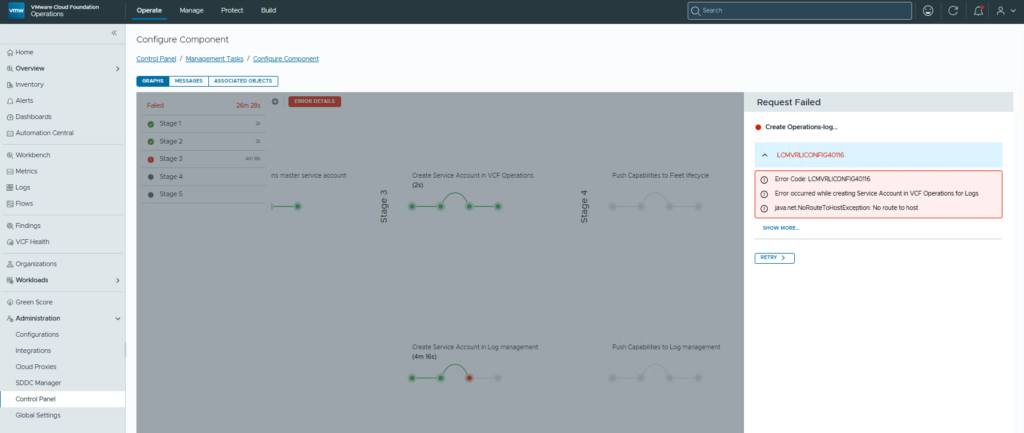
Logs for component import tasks can be found in VCF Operations under Operate > Administration > Control Panel > Management Tasks
If you turned off your VCF Operations for Logs appliance to save some resources but didn’t delete it from inventory. Turn it on! It is required for the import workflow of VCF Operations into the VMSP.













 >
>